



- Players
- 1 player
- Difficulty
- Easy
- Skills
- Logic, Spatial thinking, Patience and focus
- Category
- Puzzle
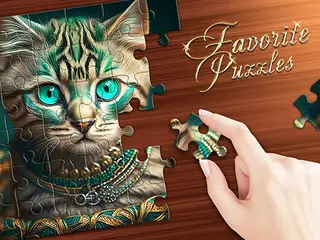
Puzzle Kit is a simple photo jigsaw game with three ways to play: Puzzle, Puzzle Logic and Mosaic. You choose a real photo, such as a peacock, a canyon, a city at night or a cheetah cub, then pick how many pieces to cut it into. It is calm and unhurried, with no timer visible.
How to play
On the title screen, click one of the three modes. Scroll along the row of photos and click the one you want to build. Use the minus and plus buttons under the photos to set the size of the grid. It starts at 2 by 2, which gives very few pieces.
In a jigsaw, a faded copy of the picture shows where everything goes. Drag each piece with the mouse and drop it in the right spot on the picture. The Game Menu button in the top corner takes you back.
Controls
- Mouse: click to choose a mode, a picture and the grid size
- Mouse: drag puzzle pieces into place
Tips
- Start with a 2 by 2 grid to learn how the pieces fit, then add more with the plus buttons.
- Use the faded picture behind the puzzle as a guide. Match the colours on a piece to the same area of the picture.
- Pictures with clear shapes, like the cheetah cub's face, are easier than busy scenes like the city skyline.
- Try each of the three modes on the title screen to find the one you like best.
Who it's for
Suits younger children and anyone who enjoys a relaxed jigsaw. With a small grid it is very easy, and more pieces make it a steadier challenge.
More Puzzle games.